
11 Exercise 10: Creating and restoring backups
Contents – Introduction to creating and restoring database backups.
Goal – After the exercise the trainee knows how to create and restore a backup.
11.1 Exercise 10.1: Creating a backup
Let’s create a backup of the trainingdatabase with pgAdmin. Right click the trainingdatabase and click Backup…
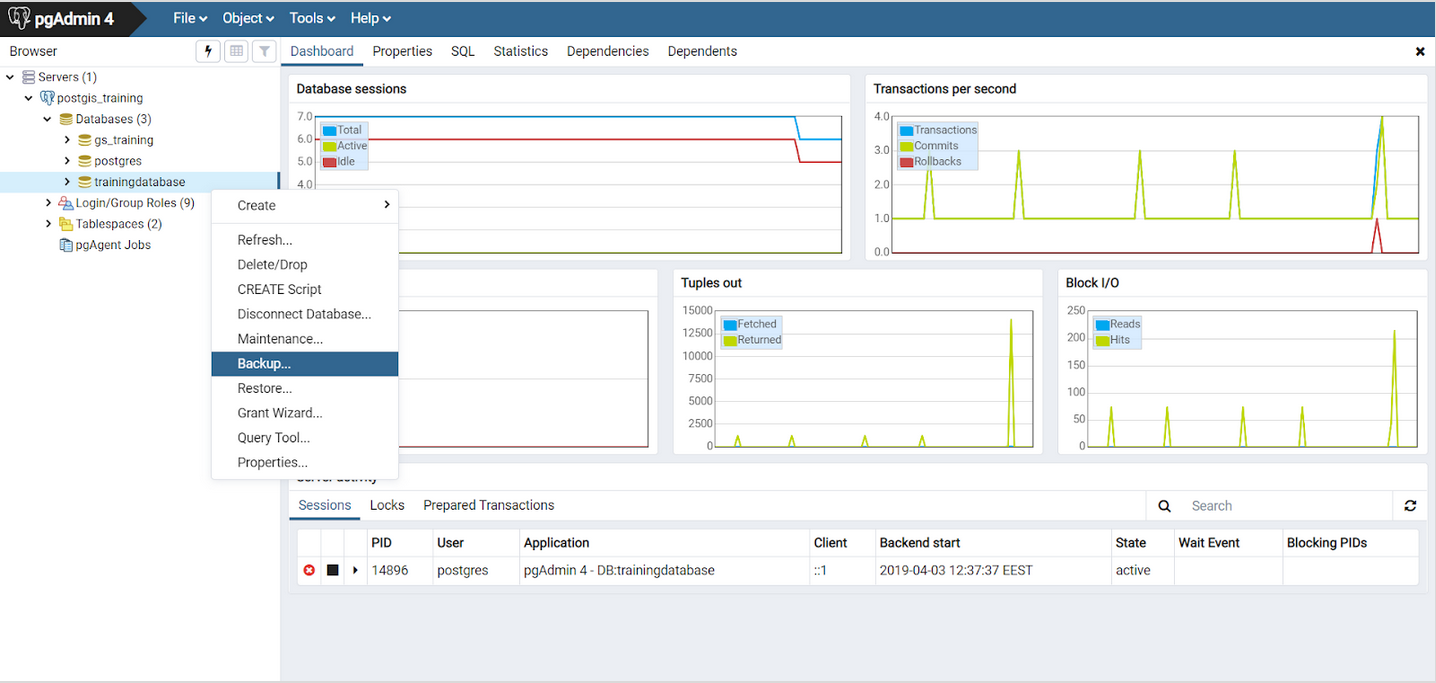
If the Backup window doesn’t open and instead you get an error message, do the following: File > Preferences > on the left side choose Paths > Binary Paths and write /usr/bin in the PostgreSQL Binary Path field.
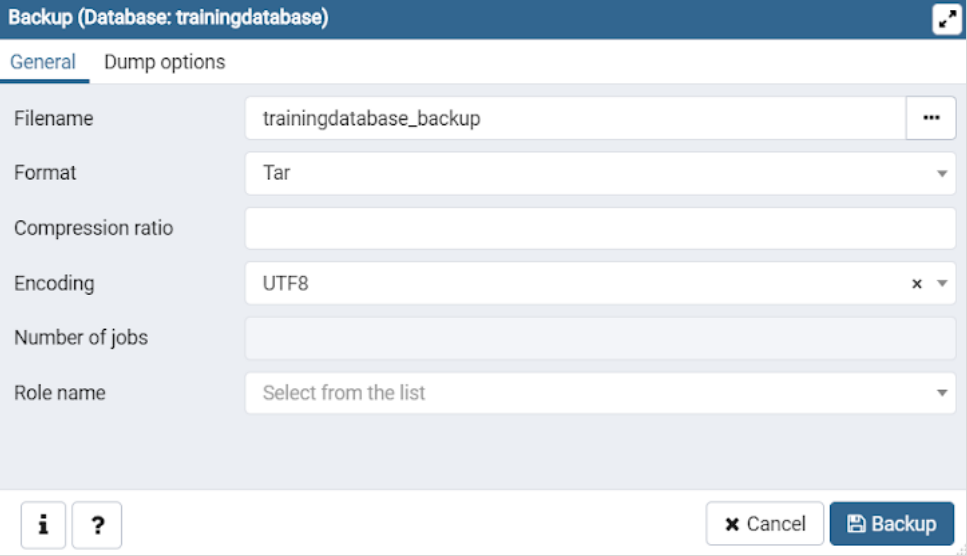
Fill the filename in the Backup window as “trainingdatabase_backup”. Make sure the format is Tar and the encoding is UTF8.
11.2 Exercise 10.2: Restoring a database
11.2.1 Create a new database
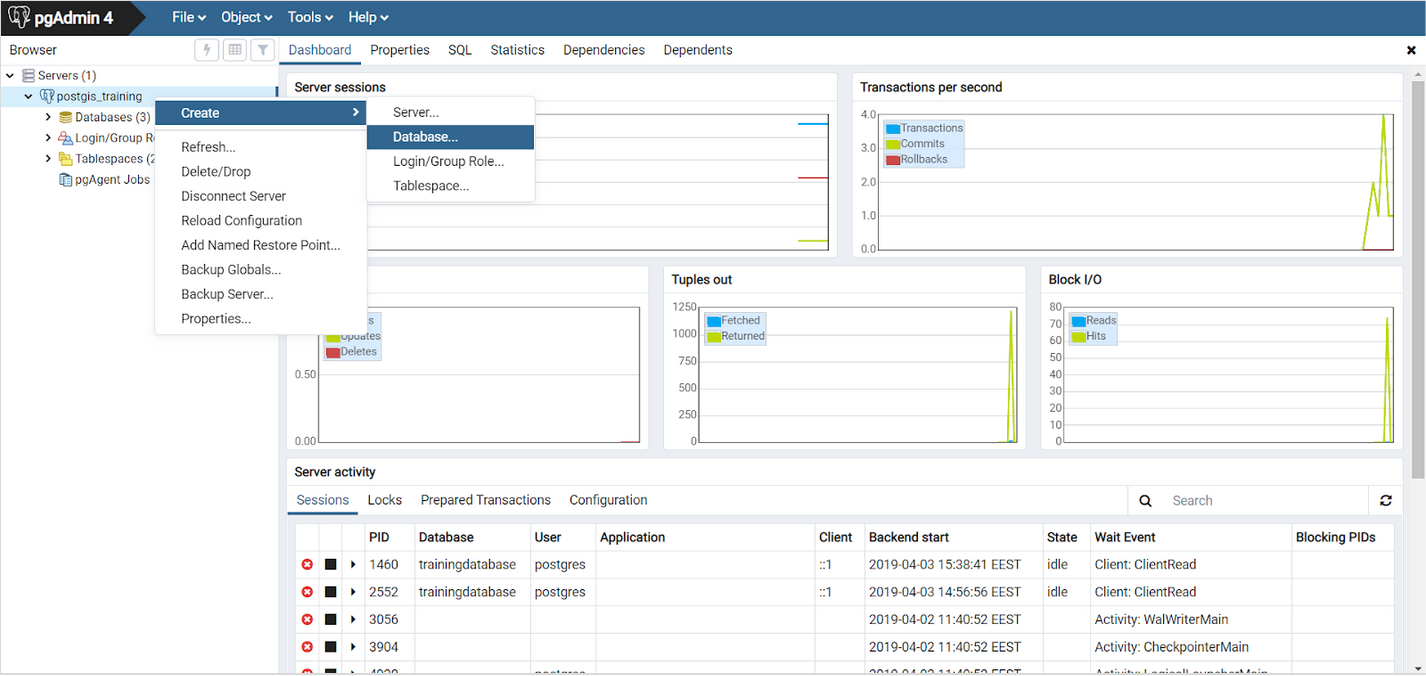
Right click your connection to the database cluster and click Create > Database…. Name the new database “trainingdatabase2”.
11.2.2 Restore the data from the backup file
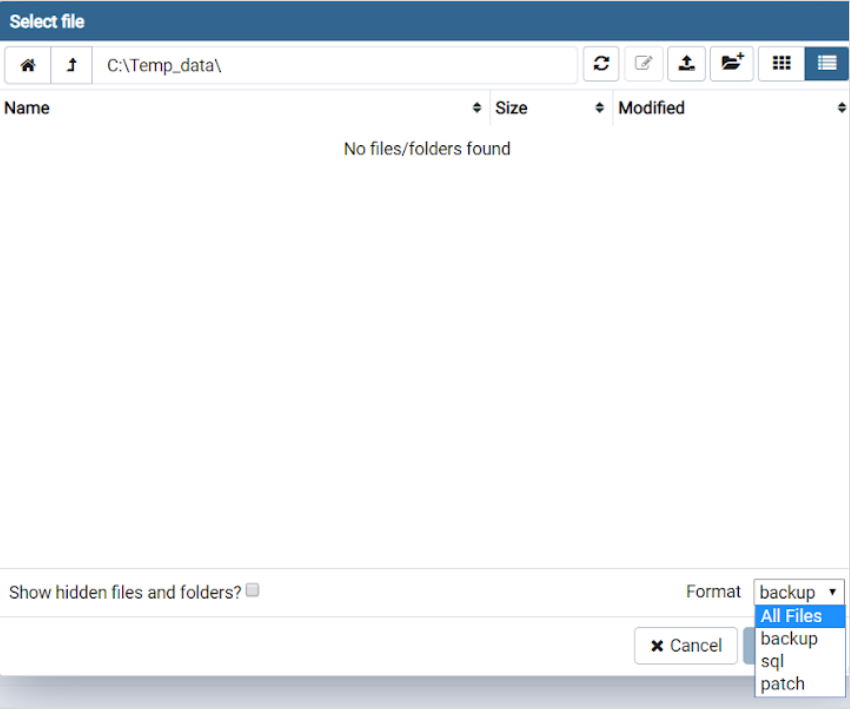
Let’s restore the back up by right clicking the trainingdatabase2 you just created. Choose Restore… > Filename > … and choose the .tar file you just saved.
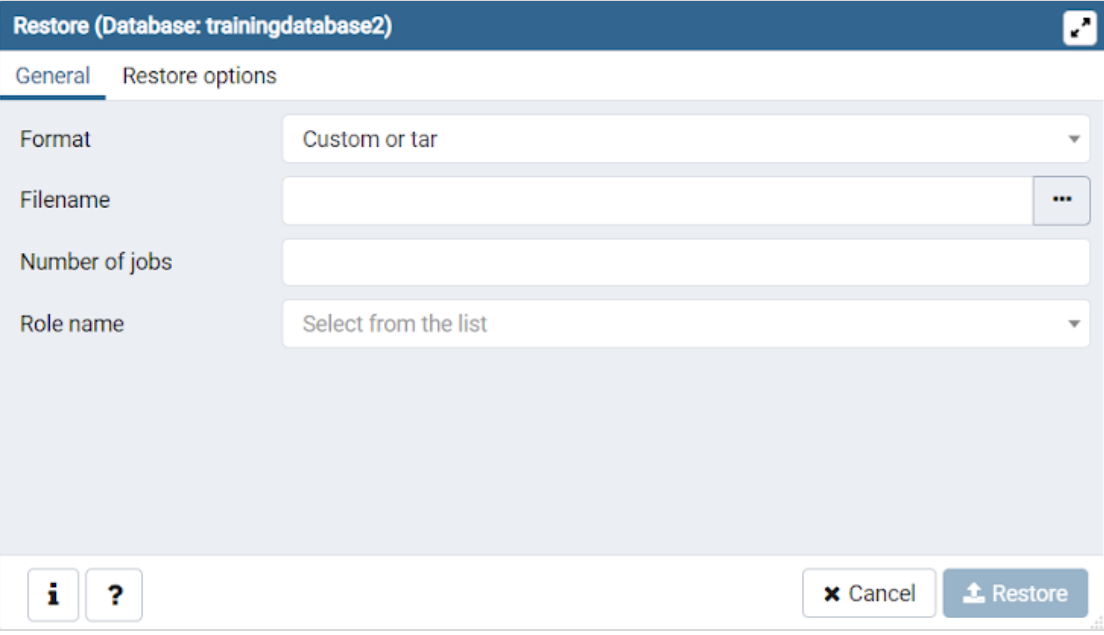
If you can’t find the backup file, set the Format to All Files in the bottom right corner of the Select file window. You can inspect the features which will be restored before the restoration takes place with the Display Object feature.
How can you copy the structure (schema) of the trainingdatabase to another database?